
Your customers are asking ChatGPT, Perplexity, Copilot and Google's AI Mode who to call. Here's how to be in the answer.
What AEO is. Answer engine optimization means making your business easy for AI search to find, trust and link. Google is blunt about it: there are no special optimizations necessary. It's the SEO basics, done properly, on every platform at once.
So here are the basics, in order.
1.Let the AI search crawlers in
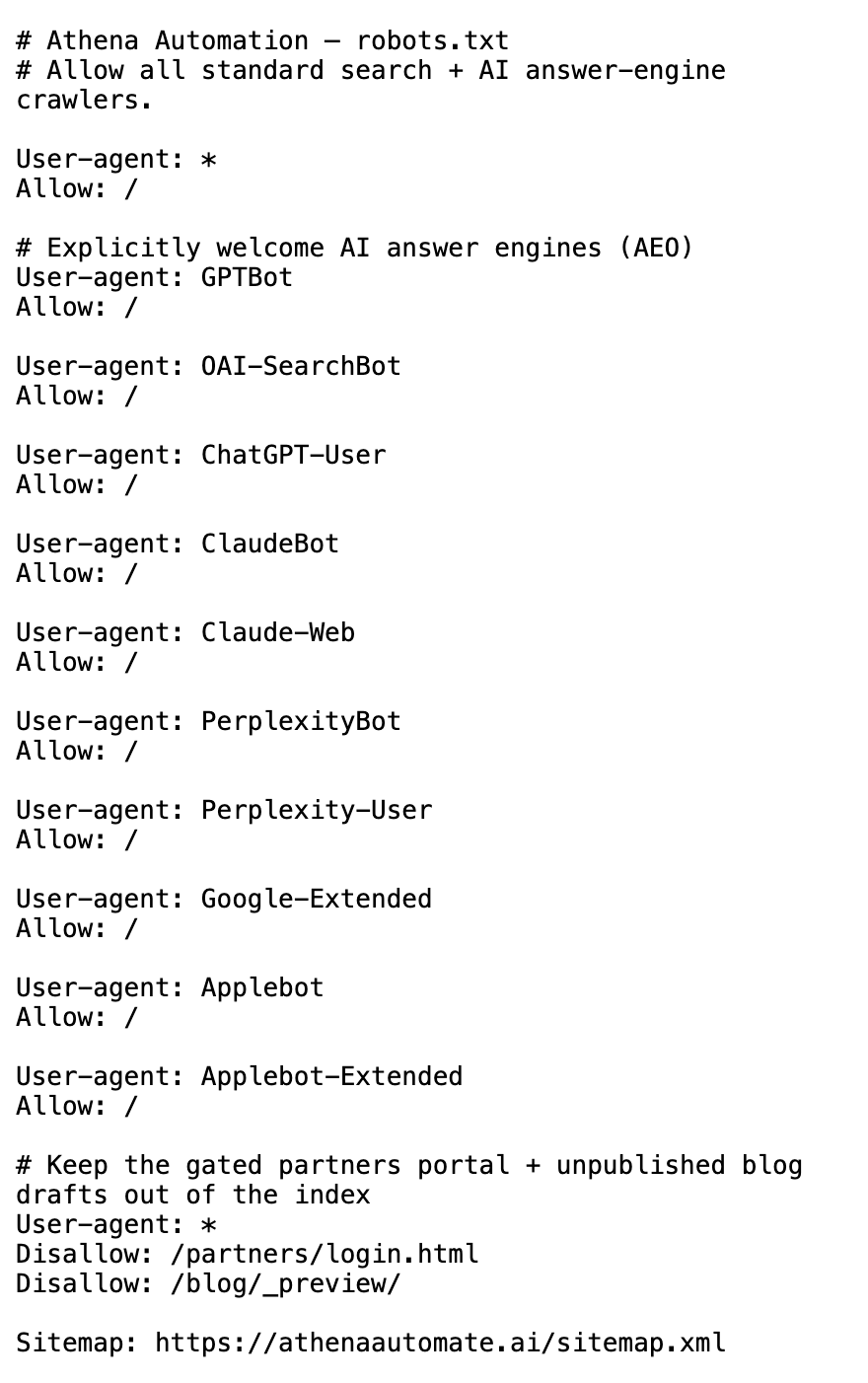
Each AI search tool sends its own crawler to read your site. If your site's robots.txt file blocks it, your pages can drop out of that tool's answers.
Check that your robots.txt doesn't block these three:
- Googlebot: Google Search, AI Overviews and AI Mode (Google)
- OAI-SearchBot: ChatGPT search (OpenAI)
- PerplexityBot: Perplexity (Perplexity)
To see yours, open yourbusiness.com/robots.txt in a browser. The rules are easy to misread, so hand it to whoever runs your site and ask one question: are Googlebot, OAI-SearchBot and PerplexityBot allowed?
Google also says to check your hosting or CDN settings, which can block crawlers on their own. Hand this one to whoever runs your site.
Worth knowing: OpenAI's GPTBot is a different crawler, for training its models. OpenAI says each setting is independent, so you can block GPTBot and still show up in ChatGPT search.
2.Make sure Google has your pages
Google only links pages in AI Overviews and AI Mode that are in its index and eligible to show with a snippet.
- Open Google Search Console for your site.
- Paste your most important page's full address into the search bar at the top. That's the URL Inspection tool.
- Look for URL is on Google.
- If it isn't, click Request indexing.
Do your home page, your services page and your contact page.
3.Tell Bing too
For Microsoft's Copilot, Bing has the tools. Two things:
- Set up Bing Webmaster Tools. Its AI Performance report, in public preview, shows when your pages are cited in Copilot and Bing's AI summaries.
- Turn on IndexNow, which tells Bing the moment you add or change a page. Hand this to whoever runs your site.
4.Fill in your Google Business Profile, if customers come to you or you go to them
Google says businesses with complete and accurate info are more likely to show up in local results.
Open your Business Profile and fill in everything: address (if customers visit you), hours (including special hours), category, and the details like parking or Wi-Fi. Google's AI features guide names your Business Profile as one of the things to keep up to date.
5.Write pages that answer your customers' real questions
Take the ten questions customers ask you most on the phone. Answer each one plainly on your site, one question per heading.
- Put the answer in text, not only in a photo or PDF. Google asks for important content in textual form.
- Use clear headings, tables and FAQ sections. Bing says those help surface key information.
- Say something only you can say: your pricing policy, your service area, how you actually do the job. Google asks whether content provides original information.
6.Get reviewed and get mentioned
Google says local prominence is based partly on how many websites link to your business and how many reviews you have.
- Ask happy customers for a Google review. Make it a habit, not a campaign.
- Reply to reviews, good and bad. Google says replies show you value the feedback.
- Get listed where your industry looks: your chamber of commerce, trade associations, and local news.
7.Ask your regulars to pick you in Google
Google lets people add your site as a Preferred Source, and your content can then be marked "preferred" for them in AI Overviews and AI Mode.
It takes one link and one text to your customers. Our step-by-step: Get your customers to pick your site in Google.
8.Ask the AI about yourself
Open ChatGPT, Perplexity, Copilot and Google's AI Mode. Ask each the questions your customers ask: "best [your service] in [your town]", "who does [your job] near me", "[your business name] reviews".
Write down who gets named and which sites get linked. Those linked sites are where step 6 should aim.
Run steps 2 and 8 again once a month. AEO isn't a trick. It's showing up properly, everywhere your customers ask.